

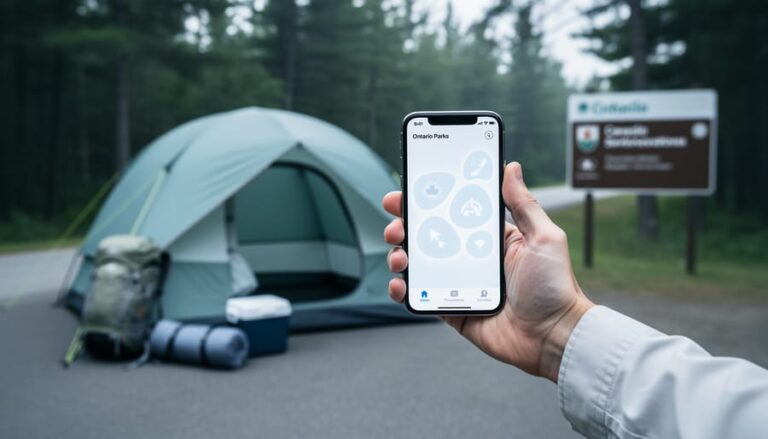
H+ is the symbol for HSPA+, a 3G mobile network technology that delivers faster data speeds than basic 3G but falls well short of modern 4G LTE or 5G performance. When you spot that H+ icon in the top corner of your phone, you’re connecting to an older network standard that maxes out around 42 Mbps in theory but typically delivers 5 to 15 Mbps in real-world conditions. For anyone heading into Ontario’s provincial parks or backcountry areas, that H+ symbol becomes a familiar companion, and understanding what it means for your connectivity can transform how you plan your outdoor adventures.
The truth is, H+ service is common in remote and rural Ontario because cell carriers haven’t upgraded every tower to newer technology. While city dwellers rarely see anything slower than LTE, campers and hikers quickly discover that H+ becomes the norm once you leave highway corridors. This isn’t necessarily bad news. You can still send texts, check weather updates, and share the occasional photo, though streaming video or uploading large files will test your patience. Knowing how to work with limited bandwidth helps you stay connected when it matters most while embracing the digital detox that makes camping special. We’ll walk you through what H+ actually delivers, why you encounter it in outdoor spaces, and practical strategies to make the most of slower speeds without letting phone signal issues derail your trip.
What h+ Cell Service Really Means
When you glance at your phone screen and see “h+” where you’d normally expect LTE or 5G, you’re looking at HSPA+ (High Speed Packet Access Plus), a cellular network technology that sits between older 3G and modern 4G networks. Think of it as the middle child of mobile connectivity, not cutting-edge, but definitely more capable than basic 3G. Most Canadian carriers deployed h+ as an upgrade path in the early 2010s, and it’s still kicking around today, especially in areas where newer infrastructure hasn’t fully replaced it.
- h+
- The icon displayed on your phone when connected to an HSPA+ network, indicating you’re on a 3.5G connection faster than 3G but slower than LTE.
- HSPA+
- High Speed Packet Access Plus, a network technology that enhanced 3G speeds to bridge the gap until 4G/LTE became widely available. Theoretical maximum download speeds reach 42 Mbps, though real-world speeds are typically much lower.
- 3G
- Third-generation cellular technology that brought mobile internet browsing to mainstream phones. HSPA+ is technically an evolution of 3G, which is why it’s sometimes called 3.5G.
- 4G/LTE
- Fourth-generation Long Term Evolution networks that deliver significantly faster data speeds than h+, typically ranging from 10-50 Mbps in real-world conditions.
- Network Handoff
- The automatic process where your phone switches between different network types (5G, LTE, h+, 3G) based on signal strength and availability at your location.
Your phone isn’t broken when it shows h+ instead of LTE, it’s simply connecting to the best available signal at your location. Modern smartphones constantly scan for the strongest, fastest network, and when you’re hiking in Algonquin Park or exploring Thousand Islands, h+ might be the only game in town. The icon appears when your device can’t find a 4G or 5G signal but has successfully locked onto an HSPA+ tower, which happens frequently in Ontario’s rural areas, provincial parks, and anywhere cellular infrastructure prioritizes basic coverage over blazing speeds.
How h+ Cell Service Works
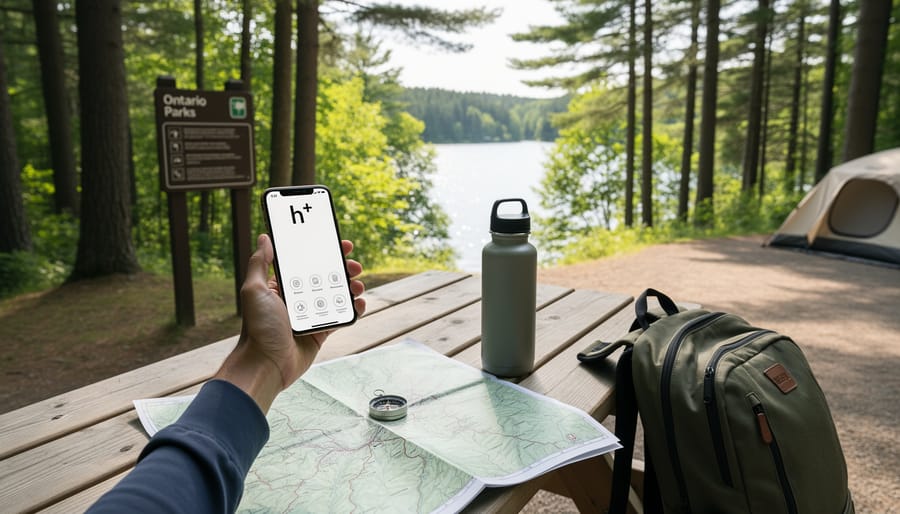
Your phone is smarter than you might think when it comes to staying connected. It constantly scans for the strongest available signal and automatically switches between network types without you having to do anything. When you’re driving from Toronto toward Algonquin Park, for instance, your phone might hop from 5G to LTE to h+ as you move farther from urban cell towers.
The switch to h+ happens when your device can’t find a strong enough 4G LTE signal to maintain a reliable connection. Think of it like your phone’s backup plan. Rather than leaving you with no service at all, it drops down to the older but more widespread h+ network. This technology uses lower frequency radio waves that travel farther and penetrate obstacles like dense forest canopy and rocky terrain better than the higher-frequency signals that 4G and 5G rely on.
Cell networks prioritize newer, faster technologies when they’re available, but coverage area matters more than speed in remote locations. Carriers built h+ infrastructure years ago across wider geographic areas because the signals reach farther with fewer towers. That’s why you’ll often see h+ pop up as you explore provincial parks, cottage country, and scenic routes through Northern Ontario, these areas simply don’t have the dense tower networks that urban centers enjoy.
Here’s an insider tip: those signal bars on your phone show connection strength, not speed. You might have full bars on h+ and still load pages slowly, while two bars of LTE could actually give you faster service. Pay attention to which network icon displays alongside those bars to understand what kind of connection you’re really working with. In remote areas, seeing h+ with decent signal strength means you’re still connected and can handle essential communication needs.
Types of Cell Network Technologies You’ll Encounter
When you’re exploring Ontario, your phone’s network icon tells a story about where you are and what kind of connectivity you can expect. Understanding these different symbols helps you plan better and sets realistic expectations for staying connected during your adventures.
5G is the newest and fastest network technology, capable of handling everything from video calls to streaming high-definition content without a hitch. In Ontario, you’ll find 5G coverage primarily in urban centers like Toronto, Ottawa, and Mississauga, though it’s gradually expanding to suburban areas. Don’t expect to see that 5G icon once you head into cottage country or provincial parks.
LTE or 4G remains the workhorse of cellular connectivity across most of Ontario’s populated areas. This technology handles video streaming, social media uploads, and navigation apps smoothly. You’ll typically maintain LTE coverage in towns, along major highways, and around popular tourist destinations like Niagara Falls or the Muskoka region. As you venture deeper into provincial parks or remote areas, LTE becomes spottier.
H+ or HSPA+ appears when you’re moving beyond reliable 4G zones but still have decent coverage. This is what you’ll commonly see at campgrounds, hiking trail parking lots, and smaller provincial parks across Ontario. It handles basic tasks well but requires patience for anything data-intensive.
3G represents older network technology that’s being phased out in many areas. When your phone shows 3G, you’re in a coverage zone with minimal infrastructure. Expect slow loading times and stick to essential communications.
E or EDGE indicates 2G service, the slowest connection that’s still technically a data network. Text messages work, but forget about loading websites. You might encounter this symbol at the most remote corners of Algonquin Park or along the northern shores of Lake Superior.
No service means exactly that. Many backcountry campsites, wilderness trails, and remote attractions simply have no cell coverage at all.
When and Where You’ll See h+ in Ontario
You’ll most likely encounter h+ when you venture beyond Ontario’s urban centers into the province’s spectacular natural areas. The transition from LTE to h+ often happens gradually as you drive north on Highway 11 toward cottage country, or as you wind through the backroads approaching a provincial park entrance. That h+ icon becomes your companion when you’re exploring the places that make Ontario special.
Expect to see h+ frequently in these quintessential Ontario settings:
- Algonquin Park’s backcountry canoe routes and interior campsites
- Bruce Peninsula campgrounds and coastal hiking areas
- Cottage regions in Muskoka, Haliburton, and Kawarthas between cell tower coverage zones
- Northern Ontario tourist routes along Highways 17 and 11
- Remote sections of the Frontenac Arch and Rideau Trail
Picture yourself setting up camp at a backcountry site in Killarney Provincial Park after paddling across Georgian Bay. Your phone switches to h+, and while you can’t stream your campfire playlist, you can still text your family that you arrived safely and check tomorrow’s weather forecast. Or imagine hiking the scenic trails around Bon Echo Rock, you’ll have enough signal to snap photos and share a quick update, even if uploading takes a few minutes longer than you’re used to.
Provincial park visitor centers often sit in these h+ zones too. While planning accessible trail planning at a park office, you might notice your connection slowing. That’s completely normal. The h+ service handles essential communication reliably, confirming campsite reservations, accessing digital park maps you’ve downloaded, and staying reachable for any urgent messages while you’re surrounded by Ontario’s incredible wilderness.
What You Can (and Can’t) Do on h+ Service
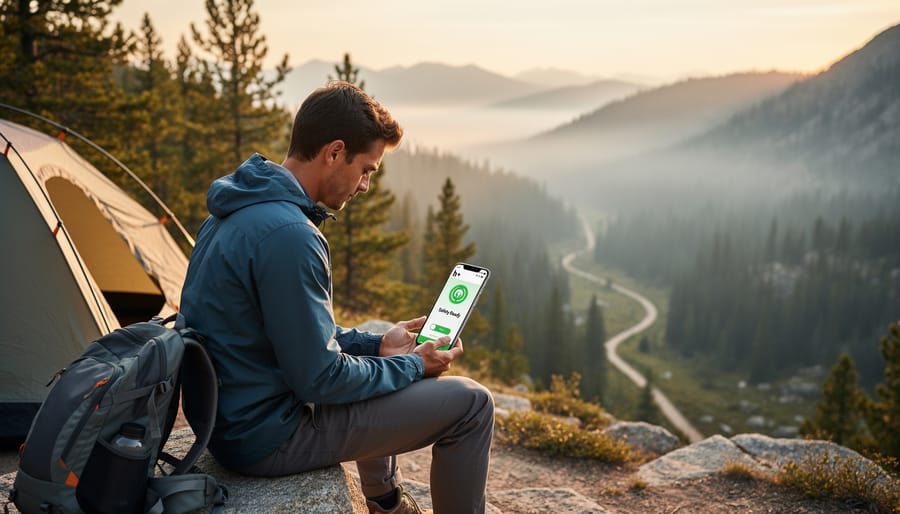
When you’re exploring Algonquin Park’s backcountry trails or camping along the shores of Lake Superior, h+ service becomes your reliable, if slower, connection to the outside world. Texts and emails work perfectly fine; you’ll send that “Made it to the campsite!” message to family without issue, though it might take a few extra seconds to go through. Voice calls are equally dependable, which matters most for check-ins or emergencies. I’ve made crystal-clear calls from remote sections of Bruce Peninsula while my phone showed h+, with none of the frustration you’d expect from a weaker signal.
Basic web browsing is doable but requires patience. Checking tomorrow’s weather forecast or looking up a park regulation works, just expect pages to load in chunks rather than instantly. The real trouble starts with anything data-heavy. Uploading photos to social media from your morning canoe trip? Plan on waiting several minutes per image, and forget about sharing that gorgeous sunset video until you’re back in LTE range.
Map downloads are where advance planning saves the day. Before leaving Thunder Bay or Ottawa, download your trail maps, offline Google Maps sections, and any park guides while you’ve got solid LTE. Once you’re deep in Killarney Provincial Park with only h+, those pre-loaded maps become your navigation lifeline without burning through your data allowance or testing your patience. Think of h+ as your safety net for staying reachable, not your entertainment hub.
Making the Most of Limited Cell Coverage in Ontario’s Outdoors
Smart planning makes limited connectivity a minor inconvenience rather than a major obstacle when exploring Ontario’s parks and outdoor destinations. Before you leave reliable LTE coverage, download offline maps for your entire route, Google Maps and apps like let you save regions for GPS navigation without data. Grab PDFs of your park permits, campsite confirmations, and any trail guides you’ll need.
Here’s what experienced Ontario campers always do before heading into areas with spotty coverage:
- Download offline maps for your entire route and surrounding areas
- Save PDFs of permits, reservations, and emergency contact numbers
- Pack fully-charged portable battery banks (searching for signal drains phones fast)
- Screenshot park maps and trail details while you still have service
- Set realistic expectations with family about limited check-ins
Once you’re in h+ territory, switch your phone to airplane mode when you’re not actively using it, constantly searching for better signals kills your battery in hours instead of days. Many provincial park visitor centers offer public Wi-Fi, so you can improve your signal situation during daily check-ins there. If you’re traveling by RV, you can plan your RV stop at locations with better connectivity for important communications.
The upside? Limited cell service creates space for genuine disconnection. You’ll notice more wildlife, have deeper conversations around the campfire, and sleep better without notification pings. Many visitors find that embracing the digital detox becomes their favorite part of the Ontario parks experience, proof that sometimes less connectivity means more connection to what matters.
Common Questions About h+ and Cell Coverage
Whether you’re planning your first trip to Algonquin Park or heading deep into the backcountry for a weekend of camping, you’ll likely have questions about how h+ cell service will work when you need it most. Here’s what Ontario visitors ask most often.
Is h+ good enough for emergency calls?
Yes, h+ is perfectly reliable for voice calls, including emergency calls to 911. As long as you see the h+ icon, you have a working connection that can handle voice communication without issues.
Why does my phone keep switching between h+ and LTE?
Your phone automatically switches to the strongest available signal. In areas where LTE coverage is spotty, common in provincial parks and cottage country, you’ll bounce between technologies as you move around or as network traffic changes.
Will h+ work for GPS navigation?
h+ can load GPS map data, but it’s slow. Download your maps, trail guides, and directions while you still have LTE or Wi-Fi coverage, then your phone’s GPS will work offline without needing any data connection.
Does h+ cost extra data or have different rates?
No, h+ uses your regular data plan at the same rates as LTE or 5G. The only difference is speed, not cost.
How can I improve my h+ signal strength?
Move to higher ground or away from dense tree cover if possible, restart your phone to force it to search for the best available tower, and keep your phone fully charged since weak signals drain batteries faster.
Is public Wi-Fi available at Ontario parks?
Many provincial park visitor centers and comfort stations offer free Wi-Fi, though coverage doesn’t extend to campsites or trails. Check each park’s amenities page on the Ontario Parks website before your visit.
These answers should put your mind at ease about staying connected enough for safety and essential communication, even when you’re far from city towers. The key takeaway is that h+ keeps you reachable and functional for what matters most, sharing your location, calling for help if needed, and sending quick messages, while encouraging you to enjoy the digital detox that comes naturally with Ontario’s wilderness settings.
Understanding h+ cell service helps you set realistic expectations for your Ontario outdoor adventures. When your phone shows that familiar h+ icon at a provincial park campsite or remote hiking trail, you’ll know exactly what it means, and that you’re still connected for what matters most, especially safety communications.
Limited cell coverage isn’t a problem to solve; it’s simply part of the Ontario backcountry experience. With a bit of preparation, downloading maps, adjusting app settings, and knowing where visitor centers offer Wi-Fi, you’ll navigate connectivity challenges without stress. Many seasoned campers and outdoor enthusiasts actually appreciate h+ service as the perfect middle ground: available when you need to check in or handle emergencies, but slow enough to encourage genuine disconnection from the digital world.
Ontario’s natural spaces offer something far more valuable than fast internet speeds. Whether you’re watching sunrise over Algonquin’s lakes, hiking the Bruce Trail’s rocky escarpments, or gathering around a campfire under star-filled skies, these moments become richer when you’re fully present. That h+ signal keeps you safe and reachable while inviting you to rediscover what drew you outdoors in the first place. The stunning landscapes, wildlife encounters, and peaceful solitude you’ll find across Ontario are absolutely worth trading 5G speeds for a few days.








+ There are no comments
Add yours