
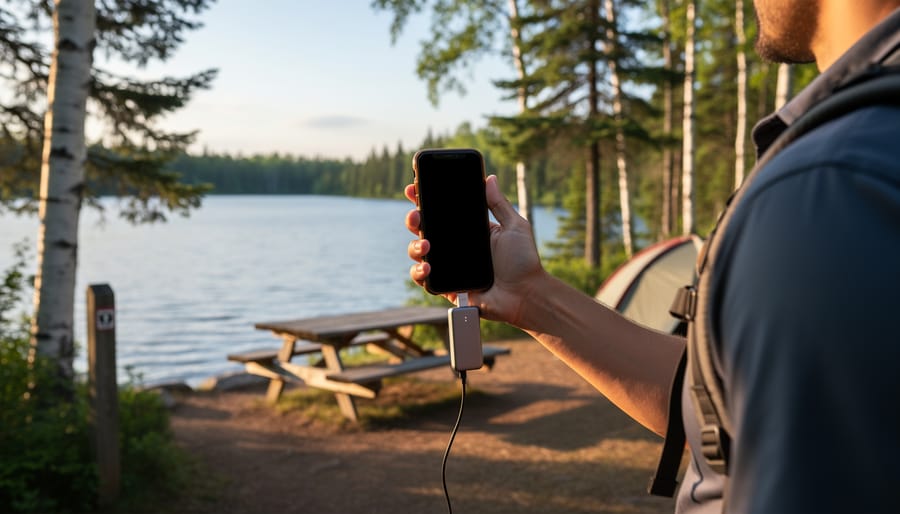
Download offline maps of your destination before leaving home – apps like Maps.me or Google Maps let you navigate trails and find campsites even when you’re completely off the grid. I learned this the hard way during a backcountry trip near Algonquin when my phone became nothing more than a camera for two days.
Check your specific campground’s connectivity before booking by calling the park office directly. Website descriptions like “limited service” can mean anything from spotty reception at the visitor center to zero bars across the entire property. Some Ontario parks have designated Wi-Fi zones near main buildings, while remote sites offer absolutely nothing – and that’s actually part of their charm.
Pack a portable power bank and car charger as backup essentials. Your phone remains your most important safety tool for emergencies, weather alerts, and photo documentation, even without service. Keep it charged and switched to airplane mode to preserve battery life when you’re not actively seeking signal.
Tell someone your exact itinerary, including campsite numbers and expected check-in times. This old-school safety net becomes critical when you can’t send that “we arrived safely” text. Leave details with a trusted friend or family member who can alert authorities if you don’t return as planned.
The truth about network coverage in Ontario’s camping destinations? It’s inconsistent, often frustrating, and sometimes completely absent. But understanding what to expect – and preparing accordingly – transforms potential anxiety into genuine peace of mind. You’ll discover which parks offer surprising connectivity, where dead zones exist, and how to balance staying safe with truly unplugging from daily life.
The Reality of Cell Coverage in Ontario Parks

What ‘No Service’ Really Means
You know that moment when your phone displays “No Service” and your heart sinks a little? Here’s what’s actually happening behind those frustrating words.
When your phone shows “No Service,” it literally means zero connection to any cellular network. Your device is searching but finding nothing within range. This is common in Ontario’s backcountry and remote provincial parks where cell towers simply don’t exist. Think of Algonquin’s interior campsites or the rugged shores of Lake Superior Provincial Park.
Now, “weak signal” is different. You’re connected, but barely. Those single bars you’re seeing? They mean your phone found a tower, but the connection is sketchy. You might send a text eventually, but forget streaming anything. Here’s an insider tip: if you’re getting one or two bars, try turning on airplane mode for 30 seconds, then off again. This forces your phone to search for the strongest available tower, which sometimes helps.
Then there’s “Emergency Calls Only” or “SOS” mode. Your phone can detect a network, just not your specific carrier. The good news? You can still dial 911 if needed. Many Ontario parks fall into this category where Rogers might work but Bell doesn’t, or vice versa.
Those signal bars aren’t standardized across phones either. One bar on an iPhone doesn’t equal one bar on a Samsung. For a more accurate reading, dial star-3001-pound-12345-pound-star on iPhones to see your actual signal strength in decibels. Generally, anything below negative-100 dBm means you’re really pushing it for connectivity.
Coverage Varies More Than You Think
Here’s something that surprises many first-time park visitors: network coverage isn’t just about whether a park has service or not. It’s far more nuanced than that, and understanding these variations can make a huge difference in how you plan your trip.
Parks close to urban centers typically offer surprisingly decent coverage, especially in their main areas. Take Frontenac Provincial Park, for example. While it’s wonderfully wild and rugged, its proximity to Kingston means you’ll often catch a signal near the main access points and some shoreline areas of Big Salmon Lake. However, venture deeper into the backcountry loops, and you’ll find yourself completely disconnected within a couple of kilometers.
This pattern repeats across Ontario’s park system. At popular parks near cities like Killarney or Algonquin, you might get decent coverage at visitor centers, main campgrounds, and busy trailheads. But here’s the insider tip: even within these parks, coverage can vanish the moment you round a rocky outcrop or descend into a valley. I’ve stood on one side of a portage with full bars and crossed to the other side with absolutely nothing.
Remote backcountry locations tell a different story entirely. Places like Woodland Caribou or Quetico in northwestern Ontario? Forget about it. You’re genuinely off the grid, and that’s exactly what makes them special for many outdoor enthusiasts.
The takeaway? Don’t assume that because a park is “popular” you’ll have reliable service everywhere within its boundaries. Geography matters more than proximity to civilization. Hills, dense forest canopy, and water bodies all create natural dead zones. Always download offline maps and inform someone of your detailed itinerary before heading out, regardless of how connected you expect to be.
Where You’ll Actually Find Public Wi-Fi
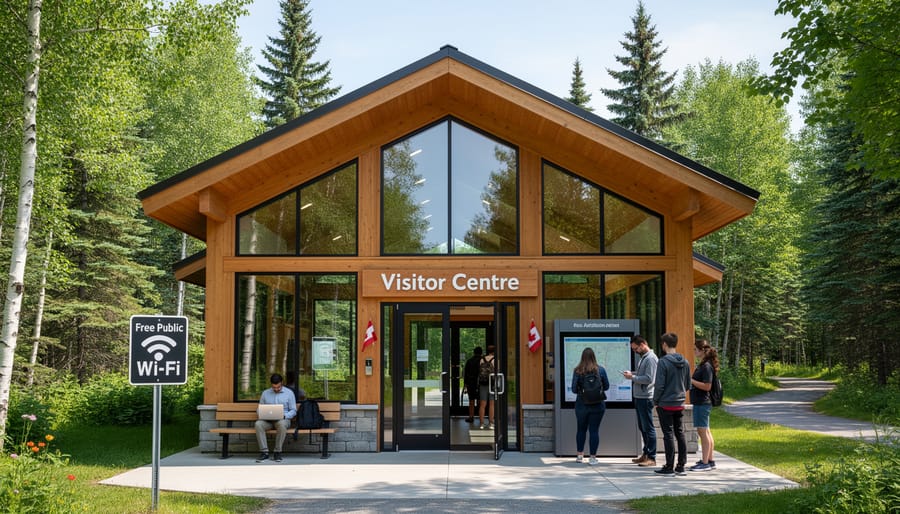
Visitor Centers Are Your Best Friend
Here’s my insider tip that’s saved me more than once: visitor centers are connectivity goldmines when you’re camping in Ontario’s parks. Most main visitor centers and ranger stations offer free public Wi-Fi, and it’s usually pretty reliable since park staff depend on it for their own operations.
I’ve made it a habit to swing by the visitor center on my first day at any park. Not only can you grab maps and chat with friendly rangers about trail conditions, but you can also knock out essential tasks like checking weather forecasts, downloading offline maps, or sending that “we made it safely” text to family. The connection quality typically ranges from decent to surprisingly good, though expect slower speeds during peak summer weekends when everyone has the same idea.
Most visitor centers operate during daylight hours, roughly 9 AM to 5 PM, though hours vary by season and location. Pro tip: visit during early morning or late afternoon to avoid crowds and enjoy faster connection speeds. Some parks even have outdoor Wi-Fi that extends to parking areas, so you might catch a signal without leaving your car.
Remember to respect the space by keeping visits brief during busy times, and consider this an eco-friendly alternative to idling your car while searching for cell signal elsewhere in the park.
Nearby Town Hotspots
When you’re camping in more remote parks, nearby towns become your connectivity lifeline. I’ve discovered that most gateway communities near Ontario’s parks have reliable Wi-Fi hotspots that are perfect for catching up on messages or uploading those stunning sunset photos.
Your best bets are typically the local library (usually free and reliable), Tim Hortons or independent coffee shops, and family restaurants. Many gas stations near park entrances also offer Wi-Fi if you’re grabbing supplies. I always scope out these spots on my drive in and save their locations.
Here’s an insider tip that’s also eco-friendly: before leaving civilization, download everything you’ll need—maps, e-books, podcasts, and offline playlists. This means you won’t need to frantically search for Wi-Fi mid-trip, which drains your phone battery faster than anything else. A full battery lasts days longer when you’re not constantly searching for signal.
I usually plan one “town run” mid-trip to restock snacks and check in with family. It’s the perfect opportunity to grab an ice cream cone, connect to Wi-Fi at a local café, and send quick updates—all without feeling like technology is dominating your outdoor escape.
The Etiquette of Shared Connections
When you finally find Wi-Fi at a busy visitor center during peak season, remember you’re sharing this precious connection with fellow campers who might be just as eager to check trail conditions or send that “we made it safely” text home. I’ve seen visitor centers packed with people hunched over phones, and here’s the thing: a little consideration goes a long way.
Think of Wi-Fi bandwidth like a campfire—everyone wants a spot close to the warmth. If you need to download large files or stream videos, consider waiting until off-peak hours, usually early morning or late evening. Keep your connection time reasonable, especially if others are waiting. A quick insider tip: download maps, park information, and entertainment before you arrive at the park, so you’re only using public Wi-Fi for essential communications.
During my summer visits, I’ve noticed the friendliest campers are those who step aside after sending their messages, making room for the next person. It’s outdoor etiquette extending into our digital lives, creating a more pleasant experience for everyone exploring Ontario’s beautiful parks.
Smart Strategies for Staying Connected (When You Need To)
The Pre-Trip Download Checklist
I learned this lesson during a spring camping trip to Killarney Provincial Park when my phone died twenty minutes into a portage route. I’d meant to download the trail map but figured I’d “do it later.” Don’t be like past me.
Before you leave civilization, grab offline versions of everything you might need. Download detailed trail maps through apps like Maps.me or Gaia GPS—they work perfectly without signal. Screenshot weather forecasts for your entire trip window, and save emergency contact numbers for park wardens and local services. I also take photos of park bulletin boards showing trail closures or wildlife warnings.
Here’s an insider tip: download your camping reservation confirmation and any permit documents as PDFs. Nothing’s worse than arriving at a gatehouse with no service and no proof of booking.
For Algonquin backcountry trips, I always save the park’s official portage map and the Friends of Algonquin PDF guides. They’ve saved me countless times when my GPS acted up.
Consider downloading a first aid guide and the what3words app—it helps emergency services locate you using three-word coordinates, even without data. Take thirty minutes before departure to build your digital survival kit. Your future self, standing at a trail junction with zero bars, will thank you profusely.
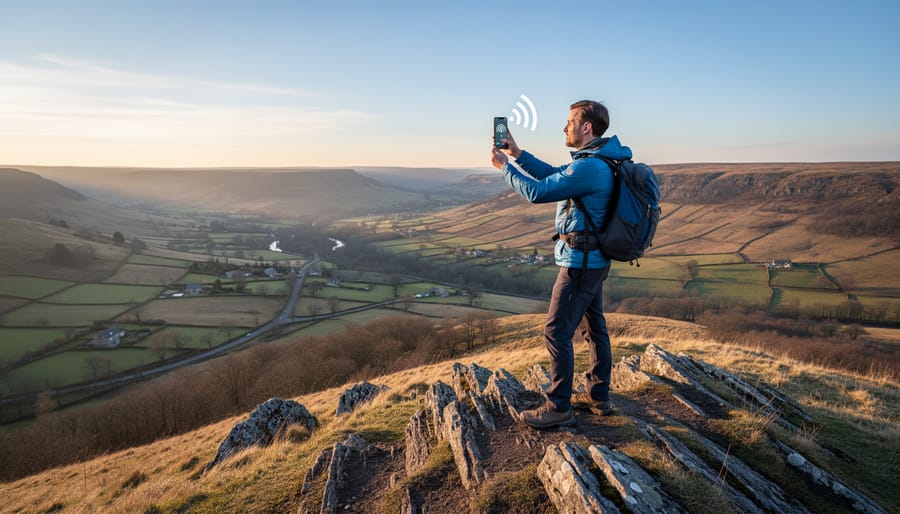
Signal-Boosting Tricks That Actually Work
When you’re watching that single bar flicker in and out, a few tried-and-true tricks can make all the difference. I’ve learned these the hard way during countless camping trips across Ontario.
The simplest fix? Get high. Seriously, elevation is your friend. Climb to higher ground, even just standing on a picnic table or walking up a nearby hill can boost your signal significantly. I once got three bars by hiking just 50 meters up from my campsite at Bon Echo Provincial Park.
The airplane mode reset is surprisingly effective and takes ten seconds. Turn on airplane mode, wait about 30 seconds, then turn it off. This forces your phone to search for the strongest available tower instead of clinging to a weak connection. Do this whenever you move to a new location or if your signal seems stuck.
Battery management becomes crucial when your phone is constantly searching for signal, which drains power fast. Bring an external battery pack, preferably one with at least 10,000mAh capacity. Your phone works overtime searching for towers, so that backup power is essential.
Here’s an insider tip: certain apps are gentler on your battery while maintaining connectivity. WhatsApp and simple SMS use minimal data and power compared to Instagram or Facebook. If you need to stay reachable, close background apps and stick to basic messaging. Turn off automatic app updates and background refresh for everything non-essential.
Keep your phone between 20-80% charge when possible, as extreme battery levels reduce efficiency in cold Ontario nights.
When to Embrace the Digital Detox
Here’s a little secret I’ve learned from years of exploring Ontario’s wilderness: some of my most memorable camping moments happened precisely when I couldn’t check my phone every five minutes. That sunrise over Algonquin? I actually watched it with my own eyes instead of through a screen trying to get the perfect Instagram shot.
Look, I’m not suggesting you throw your phone in the lake. Safety comes first, and staying connected matters for letting loved ones know you’re okay. But those pockets of limited coverage can actually become unexpected gifts. Without the constant ping of notifications, you’ll hear things you’ve been missing—the incredible quiet of a forest at dawn, your kids’ laughter echoing across the water, real conversations around the campfire.
Think of spotty network coverage as nature’s gentle nudge to be present. Download your maps and safety information beforehand, set designated check-in times if needed, then tuck that phone away. Your email can wait. That work message will still be there tomorrow. But this moment—watching loons dive at dusk or teaching your daughter to identify constellations—this moment is happening right now.
Safety First: Connectivity for Emergencies
Emergency Calls on Limited Signal
Here’s something that surprised me on my first backcountry trip: even when my phone showed “emergency calls only,” I could still dial 911. That little notification isn’t a complete dead zone—it’s actually a lifeline.
Emergency calls work on a different system than your regular texts and Instagram scrolling. When you dial 911, your phone searches for any available tower from any carrier, not just your own network. It’s like having a universal pass that works across all cell providers. This is why you might spot that “emergency calls only” message in remote Ontario parks where your specific carrier doesn’t have coverage, but another company’s tower is within range.
The technology prioritizes emergency calls over everything else, giving them stronger signal strength and access to whatever network infrastructure exists nearby. Think of it as the phone equivalent of an ambulance getting priority on the highway.
Here’s my insider tip: before heading into areas with spotty coverage, save your exact coordinates or the park’s emergency contact information in your phone’s notes. If you need help, you’ll have that crucial information ready even if data isn’t working. And remember, a phone with no SIM card or even a deactivated device can still make emergency calls as long as the battery works.
Alternative Communication Tools
When cell service isn’t an option, having backup communication methods can give you and your loved ones real peace of mind. Satellite communicators like Garmin inReach devices have become surprisingly affordable and work anywhere with a clear view of the sky. They let you send text messages, share your location, and trigger emergency services if needed. I’ve found them invaluable on remote backcountry trips where phones become paperweights.
Don’t overlook the simplest tools either. A good old-fashioned emergency whistle weighs nothing, never needs charging, and can be heard much farther than your voice. Three short blasts is the universal distress signal.
Here’s an insider tip that costs nothing: always leave a detailed trip plan with someone you trust outside the park. Include your campsite number, planned hiking routes, expected return time, and vehicle description. If something goes wrong and you can’t call for help, this information becomes crucial for search and rescue teams. Make it a habit to check in when you return, even if your trip was uneventful. This simple step has helped locate countless lost hikers over the years.
Here’s the truth: some of Ontario’s most magical moments happen precisely when you can’t get a signal. That surprise sunrise over the lake you captured in your memory instead of on Instagram. The genuine conversation around the campfire without notifications buzzing. The shooting stars you actually noticed because you weren’t scrolling through feeds.
Yes, spotty network coverage can feel like a challenge when you’re planning your trip, but think of it differently. It’s not a limitation—it’s an invitation to experience Ontario’s wild spaces the way they’re meant to be experienced. And now that you’ve got your preparation checklist sorted, you’re ready for whatever comes your way.
Download those maps, share your itinerary with someone back home, pack that portable charger, and head out with confidence. You’ve got the tools, you know the realistic expectations, and you’re prepared for both connectivity and its absence. That’s exactly where adventure begins.
So go ahead—explore that provincial park, paddle that backcountry route, chase that waterfall. Ontario’s wilderness is waiting, and you’re more than ready to answer the call. Sometimes the best connection is the one you make with the world around you.











+ There are no comments
Add yours